Why Is My Flashlight Not Working? A flashlight is one of those everyday tools you don’t think about—until it suddenly stops working.
Whether you’re dealing with a flashlight not turning on, a dim beam, or a flashlight flickering, it can be frustrating—especially when you need it most.
The good news? Most flashlight problems are easy to diagnose and fix at home.
In this guide, we’ll walk you through flashlight troubleshooting, explain the common causes behind LED flashlight problems, and show you simple step-by-step fixes you can try right now.
Table of Contents
Quick Table
| Problem | Possible Cause | Quick Fix |
|---|---|---|
| Flashlight not turning on | Dead batteries flashlight | Replace batteries |
| Dim light | Weak power supply | Recharge or change batteries |
| Flickering light | Loose electrical circuit | Tighten components |
| Switch not working | Faulty switch | Clean or replace switch |
| Corrosion inside | Moisture damage | Clean metal contacts |
| Phone flashlight not working | Software glitch | Restart device |
| Overheating | Internal hardware issue | Let it cool down |
Common Reasons Your Flashlight Isn’t Working
Understanding the root cause is key to effective flashlight repair. Below are the most common reasons why your flashlight stopped working.
Dead or Weak Batteries
One of the most common reasons for a flashlight not turning on is battery failure. Over time, batteries lose their ability to provide sufficient power supply, especially if they’ve been sitting unused.
Signs:
- No light at all
- Very dim beam
- Flashlight stopped working suddenly
Solution:
Replace old batteries with fresh ones. Make sure they are inserted correctly with proper polarity.
Faulty Switch
If your flashlight switch is not working, the internal mechanism may be damaged or worn out. This interrupts the electrical circuit, preventing power from reaching the LED bulb.
Signs:
- No response when pressing the button
- Light turns on only when pressing hard
Solution:
- Try cleaning the switch area
- If damaged, consider replacing the switch
Corroded Contacts
Battery leakage or moisture can lead to corrosion on metal contacts, disrupting the connection between the battery and the flashlight.
Signs:
- White or green residue inside battery compartment
- Intermittent operation
Solution:
- Remove batteries
- Clean contacts with vinegar or baking soda solution
- Dry thoroughly before reuse
Dirt Inside Flashlight
Dust and debris can interfere with the electrical circuit, leading to LED flashlight problems like flickering or failure.
Signs:
- Flashlight flickering
- Reduced brightness
Solution:
- Open the flashlight carefully
- Clean internal parts with a dry cloth or compressed air
Moisture Damage
Exposure to water can cause serious moisture damage, affecting both the power supply and internal components.
Signs:
- Rust or corrosion
- Flashlight not turning on after getting wet
Solution:
- Disassemble and dry all parts
- Use silica gel or rice to absorb moisture
Overheating
Using a flashlight for extended periods can cause overheating, especially in high-powered LED models.
Signs:
- Flashlight turns off suddenly
- Warm or hot to touch
Solution:
- Turn it off and let it cool
- Avoid prolonged continuous use
Software Issues (for Phones)
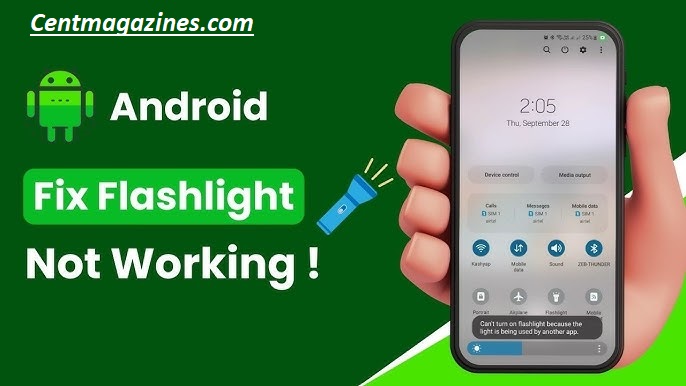
If your phone flashlight is not working, the issue might be a software glitch rather than hardware.
Signs:
- Flashlight icon not responding
- Works intermittently
Solution:
- Restart your phone
- Update software
- Check camera permissions
How to Fix a Flashlight (Step-by-Step)
Here’s a simple flashlight troubleshooting guide you can follow:
Step 1: Check the Batteries
- Replace old or weak batteries
- Ensure correct alignment
Step 2: Inspect the Contacts
- Look for corrosion or dirt
- Clean metal contacts gently
Step 3: Test the Switch
- Press multiple times
- Check for looseness or damage
Step 4: Tighten Components
- Loose parts can break the electrical circuit
- Secure the head and tail cap
Step 5: Clean the Interior
- Remove dust and debris
- Use a dry cloth or air blower
Step 6: Check for Moisture
- Dry completely if exposed to water
- Avoid using until fully dry
Step 7: Test the LED Bulb
- If all else fails, the LED bulb may be faulty
- Replace if possible
Flashlight Not Working on Phone (Android & iPhone)
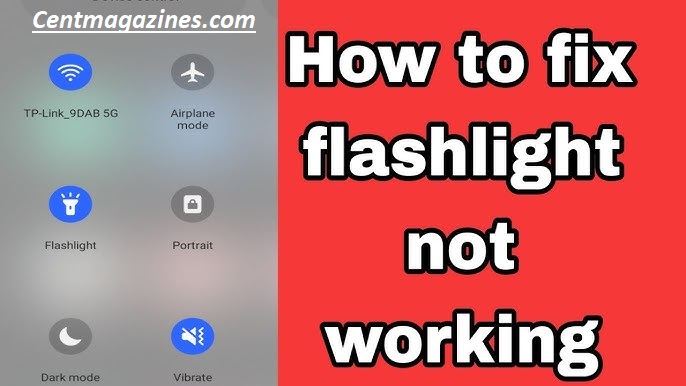
If your phone flashlight is not working, the issue is often related to a software glitch or hardware issue.
Common Causes
| Issue | Explanation |
|---|---|
| Software glitch | Temporary bug in OS |
| App conflict | Another app using camera |
| Hardware issue | Damaged LED |
| Overheating | Phone disables flashlight |
Fixes for Android & iPhone
- Restart your device
- Close background apps
- Update your OS
- Reset settings
- Check camera functionality
If the flashlight still doesn’t work, it may require professional repair.
When to Replace Your Flashlight
Sometimes, repairing isn’t worth the effort. Here’s when you should consider replacement:
- Severe corrosion damage
- Broken electrical circuit
- Faulty LED bulb that can’t be replaced
- Repeated battery failure
- Persistent flashlight flickering
Modern flashlights are affordable and more efficient, so upgrading might save time and frustration.
FAQs
Why is my flashlight not turning on even with new batteries?
It could be due to corroded metal contacts or a faulty switch interrupting the electrical circuit.
What causes flashlight flickering?
Loose connections, dirt, or weak batteries often cause flickering.
Can moisture damage a flashlight permanently?
Yes, severe moisture damage can affect internal components and cause corrosion.
Why is my phone flashlight not working?
Usually due to a software glitch, overheating, or hardware issue.
How do I fix a flashlight switch not working?
Clean the switch or replace it if damaged.
Conclusion
A flashlight not working can be inconvenient, but in most cases, the fix is simple and quick.
Whether you’re dealing with dead batteries flashlight issues, a flashlight switch not working, or more complex LED flashlight problems, understanding the root cause makes troubleshooting much easier.
Start with the basics—check your batteries and inspect the metal contacts for corrosion. These are the most common sources of battery failure and interrupted power supply.
From there, move on to cleaning dirt, tightening components, and ensuring the electrical circuit is complete.
If your flashlight has been exposed to water, addressing moisture damage immediately can prevent long-term issues.
For smartphones, a phone flashlight not working is often linked to a software glitch rather than a hardware issue.
Simple steps like restarting your device or updating the system can usually resolve the problem.
However, if your flashlight continues to malfunction despite multiple fixes—especially due to a broken LED bulb or repeated overheating—it may be time to replace it altogether.
By following this guide, you can confidently handle most flashlight troubleshooting situations and get your device working again without professional help.